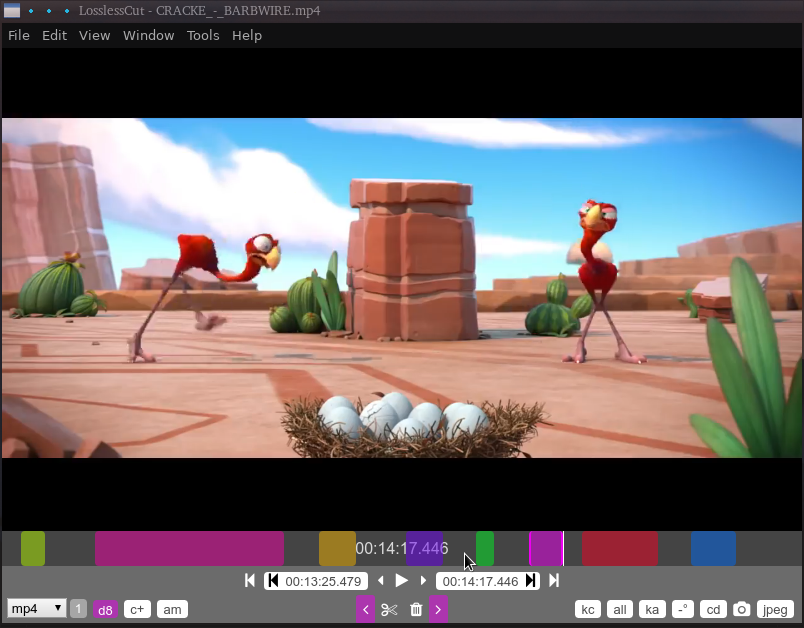
It has 2 modes: cut out clips (coloured areas), or save and join the clips.
Fully customisable keyboard commands.
See my Step2 page for insttall details.
Usage
- pointers at bottom to set cut start/end, but it's even easier with keys.
- click in a cut area to enable reposition of start/end
- click on cut number to remove it
- scissors to save the cuts to file (default same dir as source)
My keys are:
- = - set each additional clip (it will auto-set the cut start point)
- [ and ] - set cut start/end
- Backspace remove clip at cursor
- Alt-c - toggle combine clips
- x - split segment at cursor
- r - export/render segments
to append movies, use Tools > merge, then load the merged file to make cuts
conversion is very simple, with no options
ideal if it had two modes,
1. save cuts (movie content grab)
2. remove cuts (glitch chop out)
why a trash button? its very close to the cut buttons